
Go live on your own site and apps. Sell the tickets yourself.
Loopse is a live streaming platform for business. Stream events to your own website and branded apps on phones and TVs, sell pay-per-view tickets, and let viewers record shows in a cloud DVR to watch later.
Stream from any encoder
Send from OBS or any encoder over RTMP or SRT, or pull in an existing HLS, RTMP, RTSP or SRT feed.
Pay-per-view
Sell a ticket to each event, with an optional replay for a set number of days.
Cloud DVR
Viewers record live shows and watch them later, within limits you set.
Rewind while live
Viewers who join late can go back, and every broadcast can be saved as a video when it ends.
Live chat
Chat beside the stream, with moderation tools for your team.
24/7 TV channels
Run nonstop channels with a programme guide and channel up and down.
A live streaming platform for business, under your brand
Social platforms are free to stream on, but the audience, the data and the ad money belong to them. With Loopse, the live stream plays on your own website and in your own apps. You choose who can watch, what they pay, and which ads they see.
It works for concerts, sports, church services, classes, conferences, fitness sessions and talk shows. Each company can run as many live events as it likes.
Before, during and after the event
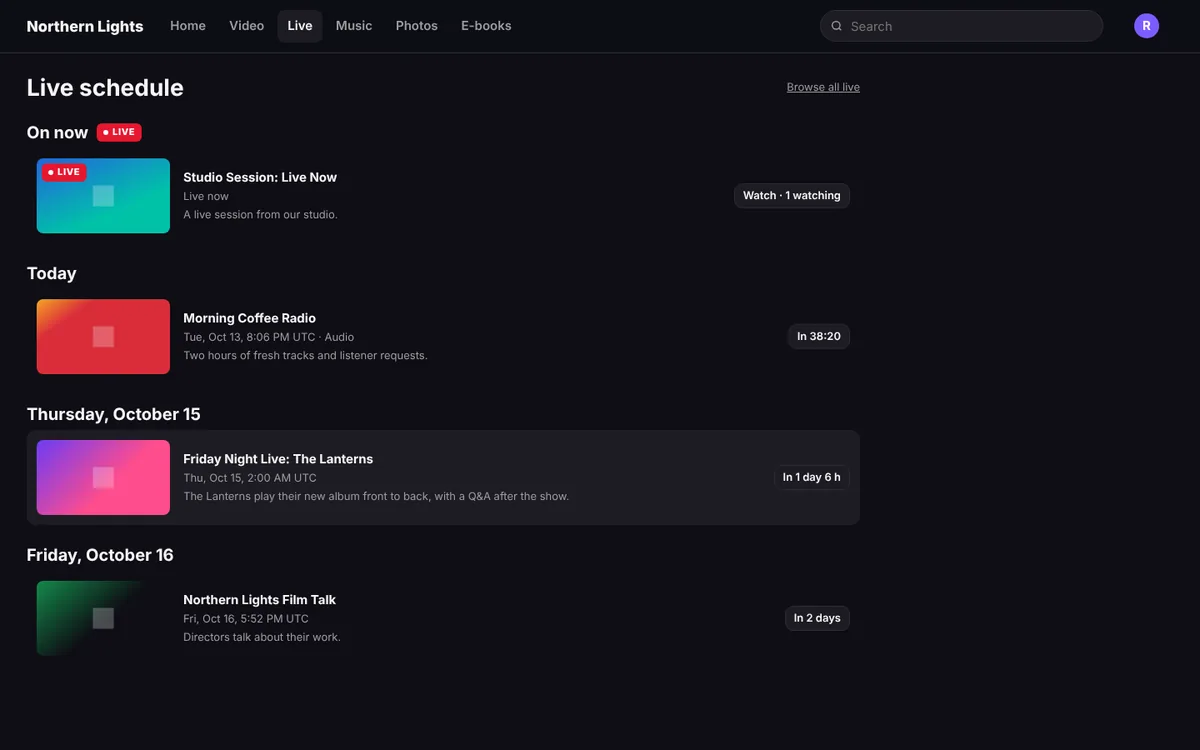
- Before: each event gets a page with a countdown waiting room. Start times show in each viewer's own time zone. Viewers tap "Notify me" to get an email or a push notification when it starts, with an optional reminder 15 minutes before.
- During: viewers watch on the web, phones and TVs, rewind if they joined late, record the show to their cloud DVR, and chat. They can cast to a TV with Chromecast or AirPlay.
- After: save the broadcast as a video for your library, and the chat replays with the recording. Viewers' recordings stay in their library for as long as you allow.
Pay-per-view live streaming
Sell a ticket to a single event. You set the price, and you decide whether the ticket includes a replay and for how many days. Subscription plans can include pay-per-view events or leave them out, so you can sell a big event separately from your monthly plan.
You can sell in more than one currency, limit sales to chosen countries with your own message for everyone else, and give free access to guests and press. Ticket money goes into your own Stripe or Braintree account. In your iPhone, Android, Apple TV and Android TV apps, viewers can also buy through Apple and Google.
Cloud DVR for live streams
A cloud DVR (also called cloud PVR) lets viewers record a live show without any box at home. With Loopse, you control it per event and for your whole service:
- a "Viewers can record this" switch on every event;
- the hours each viewer can record, how many days recordings are kept, and the total storage;
- a usage bar, so viewers see how much room they have left.
Live chat with moderation
Chat sits beside the stream on the web and in the phone apps, and shows read-only on TVs. Your team has the tools to keep it friendly: slow mode, message limits, links blocked by default, a word filter, a pinned message, and buttons to remove messages, time out or ban a viewer, or turn chat off. Staff can post as your team.
Earn from every broadcast
- Tickets for single events.
- Subscriptions that include your live shows and channels.
- Ads: a pre-roll when a viewer joins, and ad breaks on your channels, from your own ad tags.
Analytics show live viewers per minute, peak viewers and stats for every channel and programme. Loopse takes no cut of your tickets or subscriptions.
Questions
What do I need to start live streaming?
A camera, an encoder such as OBS (free) and a good upload connection. You stream to the address shown in your studio over RTMP or SRT. If you already have a stream, Loopse can pull it in from an HLS, RTMP, RTSP or SRT feed.
How much does a live streaming platform cost?
It depends on how much you stream and store. Every company gets a tailored quote, so talk to us. Loopse takes no cut of your ticket sales or subscriptions.
How does pay-per-view live streaming work?
You create an event, set a ticket price and choose whether buyers get a replay and for how many days. Viewers buy on your website or in your phone apps and watch on any of their devices.
Can viewers watch on their TV?
Yes, in your own apps for Apple TV, Android TV and Google TV, Fire TV, Roku, Samsung and LG, or by casting from a phone. On Roku and Fire TV, viewers buy on your website or phone app first, then sign in on the TV. See TV apps.
Can I keep the recording after the event?
Yes. Save the broadcast as a video in your library, for free or paid viewing.
Are live streams protected?
Streams are AES-encrypted, sign-in and device limits apply, and you can block countries per offer.
Plan your next live event.
Tell us what you broadcast. We'll show you the live tools and give you a price built around your company.
Book a demo